


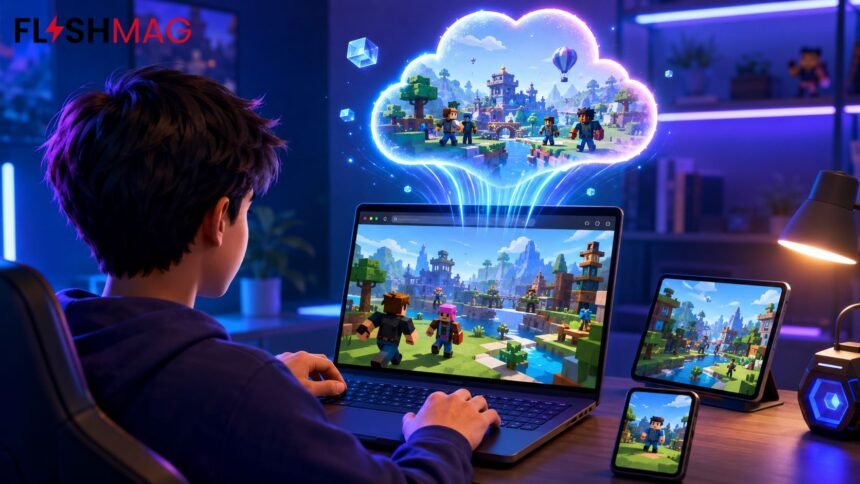
Roblox is normally associated with an installed app, but some players want a quicker way to access their favorite experiences. They may be using a Chromebook, a shared computer, a device with limited storage, or hardware that struggles to run the native Roblox client. This is where Roblox Now GG attracts attention.
Now.gg is a cloud gaming platform that can stream selected games through a web browser. Instead of running the entire game on the player’s device, much of the processing happens on a remote system. The resulting video and audio are streamed to the browser, while keyboard, mouse, touchscreen, or controller inputs are sent back to the cloud server.
The idea is convenient, but the experience is not identical to installing Roblox directly. Availability can vary by country, device, network, and changes made by either platform. Performance also depends heavily on internet quality. Understanding those limitations helps users decide whether browser-based play is genuinely useful or simply an occasional backup.
What Is Roblox Now GG?
The phrase refers to accessing Roblox experiences through now.gg rather than launching the standard Roblox application. Now.gg describes itself as a mobile cloud gaming service that lets users open supported games without downloading or installing them locally.
This differs from merely visiting the Roblox website. On a conventional Windows or Mac computer, selecting an experience on Roblox’s website generally launches or installs Roblox Player. The browser helps users discover an experience, but the installed player handles the actual game.
With cloud gaming, the remote server runs the game. The browser becomes a window into that remote gaming session. As a result, the local device does not need to perform all the graphical work that Roblox would normally require.
Now.gg currently presents a Roblox Mini Games section containing access to recognizable experiences. The selection displayed on the platform can change, so a title that appears at one point may not always remain available. Users should check the live catalog rather than assume that every Roblox experience will launch through the service.
Why Players Look for a Browser-Based Option
Convenience is the main reason. Installing an application is easy on a personal computer, but it may not be practical in every situation.
A device may have insufficient storage, for example. Although Roblox is not among the largest modern games, its app, temporary files, and updates still consume space. Cloud play reduces the amount of local storage required because there is no full game installation to maintain.
Compatibility is another consideration. Roblox officially supports specific operating systems and hardware configurations. Its current desktop requirements include 64-bit editions of Windows 10 and Windows 11, while Mac support begins with macOS 10.13. The mobile app also has operating-system and graphics requirements. Older or modest devices may fall outside those requirements or deliver inconsistent performance.
Cloud streaming can sometimes shift the processing burden away from such hardware. A lightweight laptop might have trouble rendering a demanding Roblox environment locally but still be capable of decoding a video stream.
There is also the matter of temporary access. A player using a borrowed or shared device may prefer not to install software or leave game files behind. Opening a cloud session in a browser can be more practical, provided the device owner permits gaming and the player signs out afterward.
Cloud access should not be treated as permission to bypass school, workplace, or family restrictions. Network rules and device-management policies still apply. If gaming sites are blocked, trying to evade those controls may violate an acceptable-use policy.
How to Play Roblox on Now.gg
The exact screen can change as the platform updates its interface, but the general process is straightforward:
- Open the official now.gg website in an updated browser.
- Search for Roblox Mini Games or a specific supported Roblox experience.
- Select the appropriate result and choose the browser play option.
- Wait while the cloud session prepares.
- Sign in to Roblox only if the selected experience requires an account.
- Open an available experience and check the displayed controls before playing.
Players should verify that they are on the genuine now.gg domain before entering any login details. Search results can include imitation pages, unofficial mirrors, advertisements, and sites using similar wording. A page promising free Robux, account upgrades, cheats, or password-based rewards should be treated as suspicious.
Some experiences may allow limited access without a Roblox sign-in, while account-based progress, friends, avatar items, and saved data generally require the player’s Roblox account. Whether guest-style access is available depends on the particular game and current platform configuration.
What the Experience Feels Like
A cloud session can look similar to the mobile version of Roblox because now.gg specializes in streaming mobile games. The interface or control arrangement may therefore differ from the native desktop client.
Keyboard and mouse support can make movement familiar on a laptop or desktop. Common Roblox actions often include movement keys, camera controls, jumping, and interaction commands, but individual creators can design their own control schemes. Now.gg has offered native and legacy control options in certain regions, as well as a game-controls panel. Roblox’s own in-game Help tab may also display the commands supported by the active experience.
Touchscreen users may see virtual buttons over the game. These controls are useful on phones and tablets, although they can occupy part of the display. Gamepad support may be available as well, but compatibility can depend on the browser, controller, device, and individual Roblox experience.
Not every game translates perfectly. Experiences designed around precise mouse movement, rapid reactions, or complex keyboard shortcuts may feel less natural through a streamed mobile interface. Casual role-playing, exploration, obstacle courses, and social experiences are often easier to adapt than highly competitive games where every fraction of a second matters.
Internet Speed Matters More Than Hardware
The greatest misunderstanding about cloud gaming is that moving the game to a remote server eliminates performance problems. It changes where those problems can occur; it does not remove them.
A locally installed game mainly depends on the device’s processor, graphics capability, memory, and storage. Roblox Now GG, by comparison, places greater emphasis on the stability and latency of the internet connection.
Latency is the delay between pressing a control and seeing the corresponding action. If that delay becomes noticeable, movement may feel heavy, aiming may become difficult, or a character may respond too late. A connection can have a high advertised download speed and still suffer from poor latency, packet loss, or frequent fluctuations.
Cloud streaming also uses continuous data. That matters for players on limited mobile plans or connections subject to data caps. Video quality, session length, and platform settings can all affect consumption, so there is no single reliable figure that applies to every user.
For the most consistent results:
- Use a stable Wi-Fi or wired connection where possible.
- Stay reasonably close to the wireless router.
- Pause large downloads and high-resolution video streams on the same network.
- Keep the browser updated.
- Close unnecessary tabs and background applications.
- Try a lower streaming quality if the platform provides that setting.
- Avoid relying on a congested public network for competitive play.
Cloud gaming is most convincing when the network is stable. On an unreliable connection, installing Roblox may provide a substantially smoother experience even on relatively modest hardware.
Is It Safe to Log In?
Now.gg is an established cloud gaming service, but using any third-party platform introduces considerations that do not exist when signing in directly through an official Roblox application.
The first concern is phishing. The legitimate service should never be confused with copycat sites built to collect Roblox usernames, passwords, or authentication codes. Players should type the official address themselves or use a trusted bookmark instead of following a questionable pop-up.
A Roblox password should never be shared with another person, browser extension, “Robux generator,” or unofficial verification form. Two-step verification adds an important layer of protection, particularly for accounts containing purchased items or Robux.
Shared devices require additional care. Do not ask the browser to save the password, and sign out of both Roblox and now.gg when the session ends. Closing a tab may not always sign an account out. Clearing relevant browsing data can provide additional protection on a public machine, although avoiding sensitive logins on public computers remains the safer choice.
Parents should also remember that cloud access does not replace Roblox’s own safety and communication settings. Account restrictions, content maturity controls, chat permissions, spending protections, and supervision still matter. A browser-based launch method changes how the game reaches the screen, not the nature of player-created content or online interaction.
Now.gg Versus the Installed Roblox App
The best option depends on the player’s priorities.
| Consideration | Now.gg cloud play | Installed Roblox app |
|---|---|---|
| Installation | Usually not required | Required |
| Local storage | Minimal | App and update files needed |
| Hardware demand | Much of the processing is remote | Device runs the game |
| Internet dependence | Very high | Still needed, but no video stream |
| Input delay | Can be noticeable | Usually lower |
| Visual quality | May fluctuate with the connection | Tied more closely to local hardware |
| Game availability | Limited to what is currently supported | Broader access to Roblox experiences |
| Updates | Managed on the cloud side | App updates occur locally |
| Best use | Quick access or limited hardware | Regular and competitive play |
The installed client is generally the stronger choice for players who use Roblox frequently. It offers more direct access, avoids cloud-streaming delay, and is less likely to suffer from video compression.
Cloud play makes more sense when installation is impossible or inconvenient. It can also serve as a temporary option while traveling or using a low-storage device. It should be seen as an alternative access method, not an across-the-board upgrade.
What to Do When It Does Not Work
A session may fail to load because the service is unavailable in the user’s region, the selected experience has been removed, the browser blocks required scripts, or the cloud platform is temporarily at capacity.
Start by refreshing the page and checking that JavaScript and cookies are not being blocked for the site. Privacy extensions, aggressive ad blockers, VPNs, and network filters can interfere with cloud players. Disabling an extension temporarily may identify the cause, but users should not weaken security settings on an untrusted site.
Trying another current browser can also help. Chrome, Microsoft Edge, Firefox, and Safari may handle streaming and input differently. If the picture loads but controls do not respond, click inside the game window and review the control panel. Touch controls may need to be enabled manually on some devices.
Persistent lag usually points to network conditions or distance from the cloud server. Reconnecting to Wi-Fi, restarting the router, changing networks, or playing outside peak usage hours may improve the result. When none of those steps helps, the native Roblox application is the practical fallback.
The Bottom Line
Roblox Now GG offers a convenient way to reach selected Roblox experiences from a browser without maintaining a full local installation. It can be useful on low-storage devices, temporary computers, and hardware that does not handle the native client comfortably.
Its strengths come with clear compromises. Availability is not guaranteed, supported experiences may change, and smooth play depends on a fast, stable connection with low latency. Users must also take normal account-security precautions and respect restrictions placed on school, workplace, or shared devices.
For occasional access, cloud play can be genuinely handy. For regular sessions, competitive games, or the widest experience selection, the installed Roblox app remains the more dependable option.
Frequently Asked Questions
Can I play Roblox on now.gg without downloading it?
Yes, supported Roblox experiences can run as browser-based cloud sessions without installing the full Roblox client. Availability may vary by region and device.
Is Roblox free on now.gg?
Now.gg offers ad-supported browser gaming, and Roblox itself is free to access. Optional Roblox purchases, subscriptions, and Robux are still separate.
Do I need a Roblox account?
Some content may open without signing in, but an account is generally required to access saved progress, friends, inventory, avatar items, and other personalized features.
Why is Roblox lagging on now.gg?
Cloud gaming depends on latency and connection stability. Weak Wi-Fi, network congestion, packet loss, background downloads, or distance from the cloud server can cause delayed controls and reduced picture quality.
Is now.gg better than installing Roblox?
It is more convenient when installation or storage is a problem. The installed app is usually better for consistent performance, lower input delay, and broader access to Roblox experiences.
You May Also Read:Harry James Baldwin: What Is Known About Holly Willoughby’s Eldest Son